Client operations platform for service businesses
Run every stage of client work in one place
Manage inquiries and sales, deliver services, and get paid in Cintram. See where the work stands and give clients a clear place to follow progress and respond.
No credit card required.

One engagement. Two views.
You manage the work. Clients see their part.
Internal notes, team-only tasks, and files you haven't shared stay in the working view. Clients see only what you share with them.
For your business
The working view
Keep plans, activity, communication, and billing together around the client.

For your clients
The client view
Clients you invite sign in to a portal with your name, logo, and colors, not ours. There they follow progress, complete their tasks, sign agreements, and pay invoices.

Ways to deliver
Built for the way client work actually happens
Some client work has a clear start and finish. Other work continues month after month or unfolds across sessions. Manage each in Cintram without making every client follow the same process.
Project work
Take clients from kickoff to completion.
For agencies, studios, and consultants managing defined projects with milestones, files, feedback, and deadlines.
ProjectsProject templatesProject workflowsOngoing work
Keep every retainer on track, month after month.
For consultants, advisors, and agencies managing retainers, regular deliverables, requests, and billing.
Recurring billingRenewalsClient requestsCourses and sessions
Guide clients through lessons and live sessions, and follow their progress.
For coaches, trainers, and educators who teach a course, run a group program, or sell a set number of sessions.
CoursesGroup programsSession packages
How it works
A typical path from inquiry to payment
Clients don't all take the same route. Some start with an inquiry, others at checkout or a booked call. Wherever they start, what your team records along the way stays with the client.
Winning the work
Before the work begins
Turn interest into client work
- Request a quote form
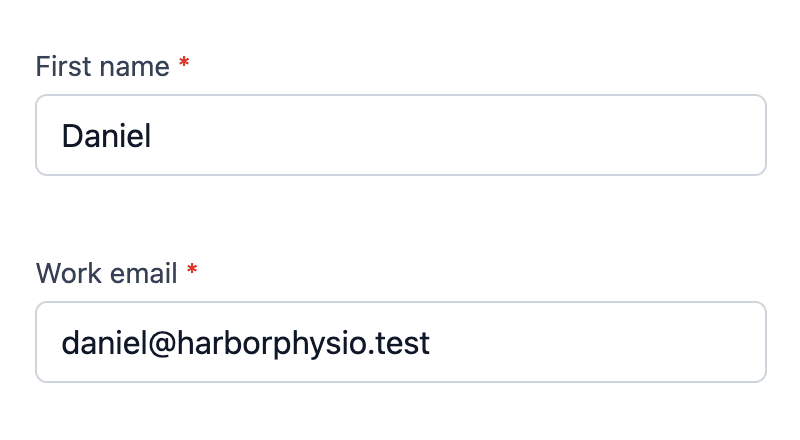
Capture an inquiry
Web forms, landing pages, and funnels bring inquiries into Cintram, and each new lead can go straight to the right person.
- Lead activity
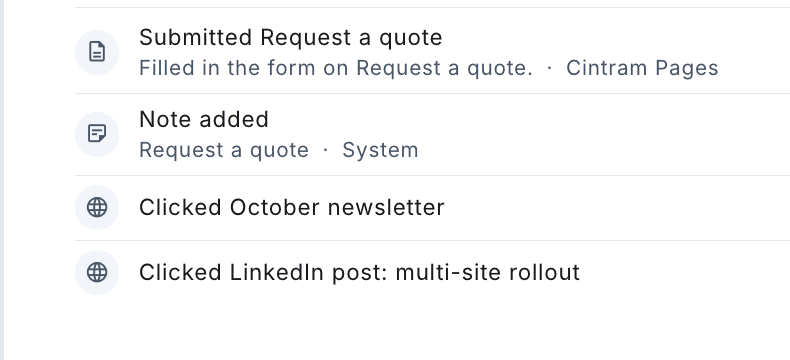
Understand the interest
See which of your pages and links a prospect engaged with, so the first conversation starts with context.
Illustrative
Ready for the next step?
Talk first
Book a call
Ready to begin
Buy online
Both paths stay in Cintram.
Give prospects a clear next step
Let them buy a service online through checkout, or book a call when the next step is a conversation.


Sales
Close the deal. Start the work.
Keep every opportunity moving and agree on scope and price before the work begins. When you turn the won deal into a project, what was agreed goes with it.

Running the work
Onboarding
Clients know what to expect from day one
Give each new client one place to start, with what you need from them and what happens next. They know where things stand without another status email.

Delivery
Deliver with clients, not around them
Keep the next step visible to everyone involved. Clients review work where it happens instead of over email, and a change in scope is agreed before it reaches the plan or the bill.

Billing
Keep payment close to the work
Bill the way the work was agreed and see what each client owes. Clients pay online from the invoice link without signing in.

See your own client work in Cintram.
No credit card required.
Across every stage
The everyday work stays in Cintram too
Messages, tasks, scheduling, and files are where handoffs usually slip. These tools work alongside the client journey rather than in separate apps.
Conversations
Email and portal chat with a client share one thread on their record. Replies come back to Cintram, so teammates with access can pick up.
Tasks and Inbox
Tasks for your team and your clients, reviews and approvals, and one Inbox for everything addressed to you.
Appointments
Booking pages with your hours and appointment types. Clients book, reschedule, or cancel from one link.
Automation
When a form is submitted, a deal moves, or a booking comes in, send the email, create the task, or assign the lead.
Email campaigns
Send campaigns to a segment of your contacts and track opens and clicks.
Files and sharing
Documents, images, and video stay in Drive with the client and project they belong to, with a share link when someone outside needs one.
Customer perspectives
A clearer way to work with clients
Once a client signs up, I can see what we agreed and what needs to happen next without digging through messages. It makes starting the work much easier.
Our clients noticed the difference. They could see where the work stood and respond when we needed something from them. They told us the experience felt more professional.
Cintram Learn
The practical side of serving clients
Guides on starting work well, managing requests, and keeping delivery moving.
Client onboarding
What to collect from clients before work starts
A practical way to gather the access, decisions, files, and context a project needs before delivery gets blocked.
Read articleOperations
How to reduce client onboarding delays
Find the handoffs that slow a new engagement down and give every person a clearer next step.
Read articleClient delivery
Stop losing client requests in email and Slack
Separate a request that needs action from another message that disappears into the conversation.
Read articleStart with one client
See how Cintram fits your work
Start with a test client and see both views before you invite a real client.
No credit card required.